Ayllu 0.5 Has Been Released!
06/21/2026
After another year of inconsistent development Ayllu 0.5.0 has been released. The most exciting aspect of this release is the addition of an OCI compatible build server for doing continuous integration.
An Isomorphic CI Server: ayllu-build
Ayllu is an isomorphic build system in that you run the same lightweight CI process locally to test your build as you do on the server and so prior to pushing any code you can validate that with a high probability (but of course not with certainty) that if your code builds locally it will continue to do so on the remote server. It aims to reduce the iteration cycle between CI config change <--> build as much as possible. It can be deeply frustrating to debug a remote build even with local tools that attempt to ease the process. Often times I have resorted to writing bash aliases like alias hack=git add --all && git
commit -m . which I tab between a UI interface to try and understand what is going on the remote side.
When running ayllu-build locally you can provide a --debug flag which upon failure will prompt you with the following: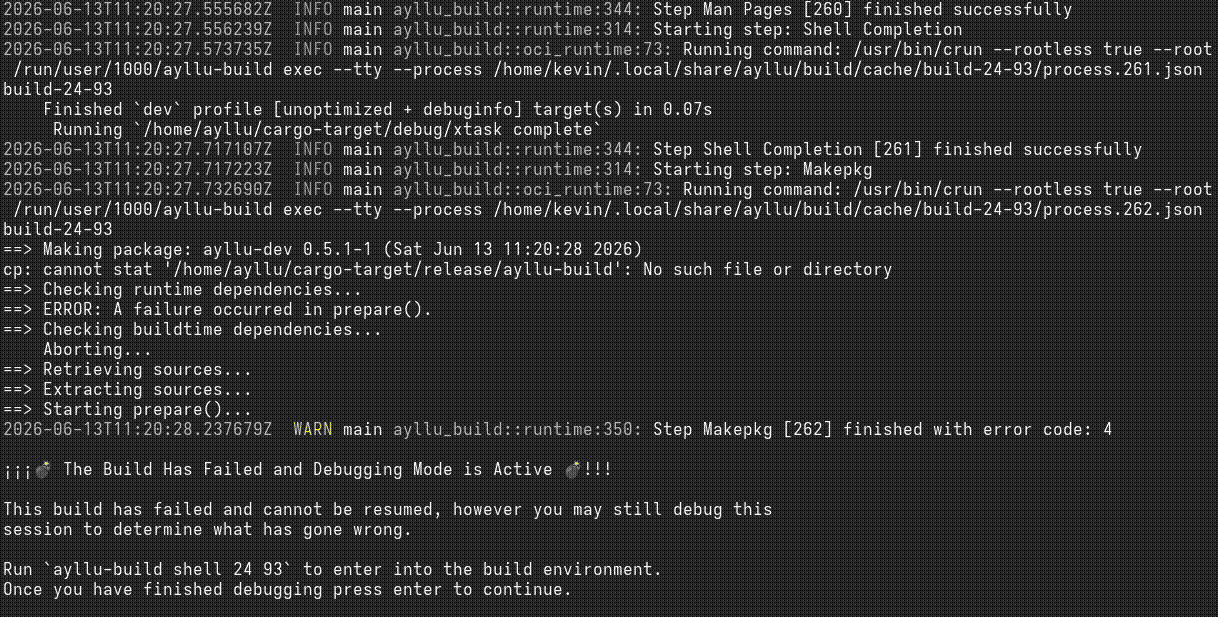
This allows you to drop directly into the environment which produced the failure and investigate the cause. Once you think you've solved the problem you can try the build again all before pushing any code to your remote. This eliminates a lot of wasteful job queuing and pushes the initial computational cost onto the developer's machine and shortens the iteration cycle considerably. Once you're satisfied with your local configuration and expect your build to work you can push your code to the remote and invoke a build there, it's also possible to toggle the --debug flag on the remote to troubleshoot any environment specific issues. With any luck your build will pass and ayllu-web will provide a nice static UI with the results: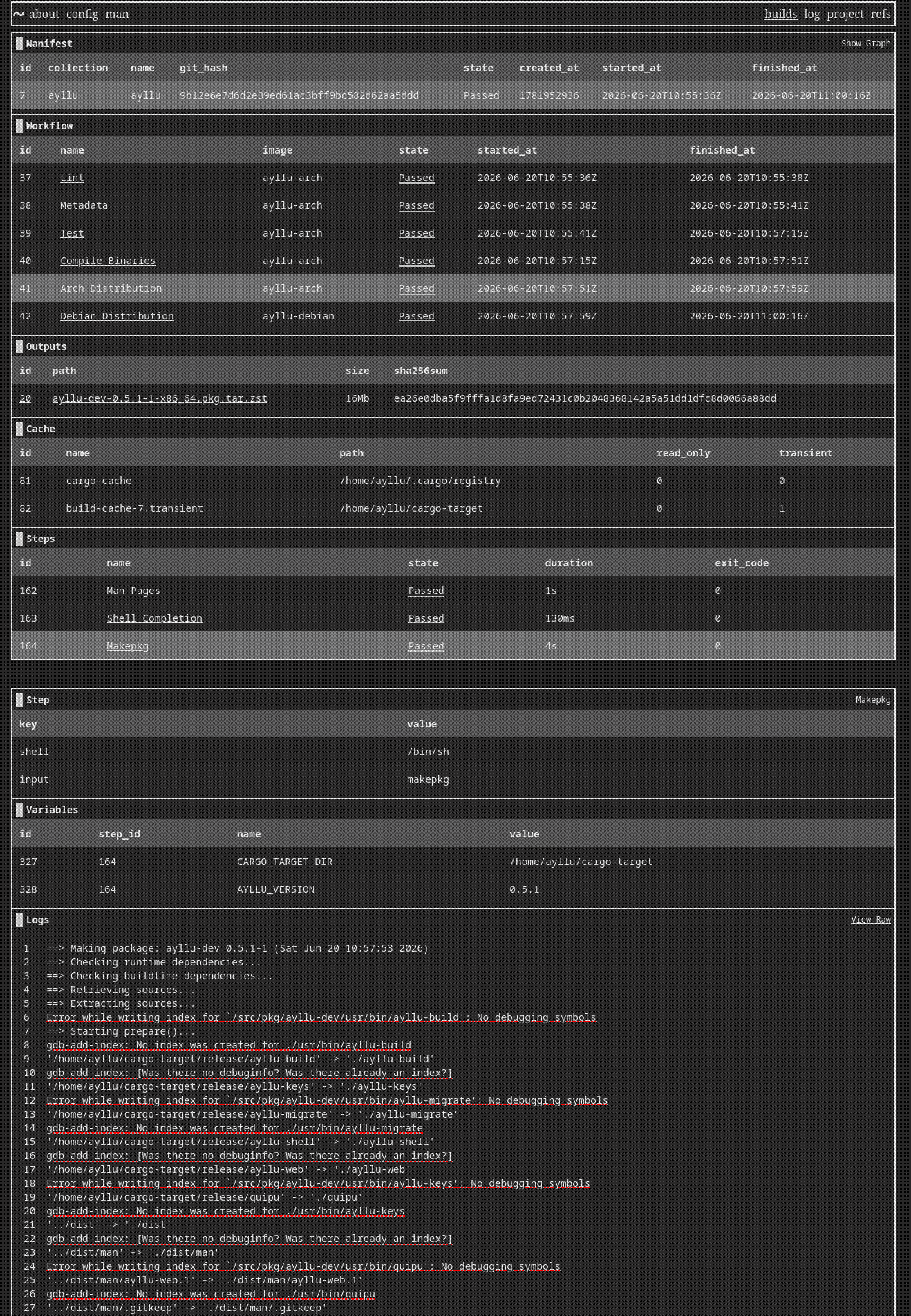
OCI Runtime Compatibility
Originally I looked at using Podman and it's libpod API and wrote an implementation around that which worked however I found that much of it contained baggage to support Docker compatibility. Running Podman's HTTP server, even over a Unix socket proved to impose using the full-fledged asynchronous Tokio runtime which then meant using asynchronous HTTP clients not to mention the lack of any Rust libpod client or even a mature library that can support OpenAPI spec.
Ultimately this journey led me to adopting support for the OCI runtime specification instead of Libpod. There are several mature implementations of the runtime specification including crun, runc, and youki. The latter is particularly interesting to me as it is Rust based, however crun is the runtime I have tested Ayllu with most extensively. Using the OCI runtime instead of Podman is a lot lower level but it also provides a lot of flexibility. Being able to configure cgroup specifics as well as providing hooks for handling networking and storage provide the opportunity to do a lot of interesting CI optimizations (which we will save for another post).
Bring Your Own Config Scheme
Choosing configuration encoding scheme was challenging because there are so many options that considering them all is sort of paralyzing. YAML is undeniably the popular choice among CI systems and has also generally kind of become a de facto format for configuring software. Looking beyond YAML there is a whole gambit of choices ranging from plain ini files, JSON, or full blown programming languages with polymorphism specifically for configuration. Of course Ayllu's configuration schema of choice is TOML but does not necessarily make it a good choice for CI.
Ultimately I settled on only accepting JSON in the ayllu-build server but with support for "pre-processing" which tells Ayllu to read any text file from your repository and pass it through some external program. After experimenting with this for a while I decided that I liked jsonnet the best. With two well maintained Rust libraries it is tempting to adopt it throughout the whole project but I think the flexibility might be appreciated by others who have different config language preferences.
Here is a simple example of an Ayllu build written in jsonnet:
local greetings = [
  ['IT', 'buongiorno'],
  ['PT', 'bom dia'],
  ['ES', 'buen día'],
];

local say(greeting) = {
  name: 'Greeting: ' + greeting[0],
  input: std.join(' ', ['echo', greeting[1], '| cat >>', greeting[0] + '.txt']),
};

{
  workflows: [
    {
      name: 'Greetings',
      steps: [
        say(greeting)
        for greeting in greetings
      ],
      outputs: [
        (function(greeting) { path: greeting[0] + '.txt' })(greeting)
        for greeting in greetings
      ],
    },
  ],
}
Now we can load that configuration into ayllu-build as an anonymous manifest and see how it works.
ayllu-build evaluate ./simple.jsonnet
After the build is completed then we can use quipu to look at the status of the most recent build. Note that without the -g flag Quipu will only show you builds specific to the repository that you are working in.
quipu -g build inspect
┌────┬────────┬──────────────────────┬─────────┐
│ id │ state  │ created_at           │ runtime │
├────┼────────┼──────────────────────┼─────────┤
│ 12 │ Passed │ 2026-06-21T13:27:51Z │ 2s      │
└────┴────────┴──────────────────────┴─────────┘
┌─────────┬─────────────┬───────────┬──────────────┬────────┬─────────┐
│ step_id │ workflow_id │ workflow  │ step         │ state  │ runtime │
├─────────┼─────────────┼───────────┼──────────────┼────────┼─────────┤
│ 188     │ 47          │ Greetings │ Greeting: IT │ Passed │ 10ms    │
├─────────┼─────────────┼───────────┼──────────────┼────────┼─────────┤
│ 189     │ 47          │ Greetings │ Greeting: PT │ Passed │ 6ms     │
├─────────┼─────────────┼───────────┼──────────────┼────────┼─────────┤
│ 190     │ 47          │ Greetings │ Greeting: ES │ Passed │ 6ms     │
└─────────┴─────────────┴───────────┴──────────────┴────────┴─────────┘
┌───────────┬─────────────┬──────┬────────┬──────────────────────────────────────────────────────────────────┐
│ output_id │ workflow_id │ size │ path   │ digest                                                           │
├───────────┼─────────────┼──────┼────────┼──────────────────────────────────────────────────────────────────┤
│ 34        │ 47          │ 11   │ IT.txt │ 00ea94a5070ace086e8fbb2e28e69cccbe8be9a1491fe5e1cb036aa02f898f99 │
├───────────┼─────────────┼──────┼────────┼──────────────────────────────────────────────────────────────────┤
│ 35        │ 47          │ 8    │ PT.txt │ 8c8867e955bb096bffdd6271ca98e6f22644040cd79cc87167080d3c6163e6ae │
├───────────┼─────────────┼──────┼────────┼──────────────────────────────────────────────────────────────────┤
│ 36        │ 47          │ 10   │ ES.txt │ 8f6b29bea666d8b51009d1455b5b2116715ebed964ba59c372eae64bd4ba04f4 │
└───────────┴─────────────┴──────┴────────┴──────────────────────────────────────────────────────────────────┘
Interactive Shell Environment
Ayllu now ships with a limited shell interface for use over SSH which is intended for interactive use by members of any given Ayllu server. Currently it is only suitable for administrator usage but it will be expanded in the next release for all members of the server. The inspiration for this design comes from gitolite and gitosis, I'm unsure which of these projects came first but essentially they provide gated access to git repositories over SSH. Ayllu adopts the same concept but also expands it to support builds, repository management, and really anything that can be exposed over a text based SSH session.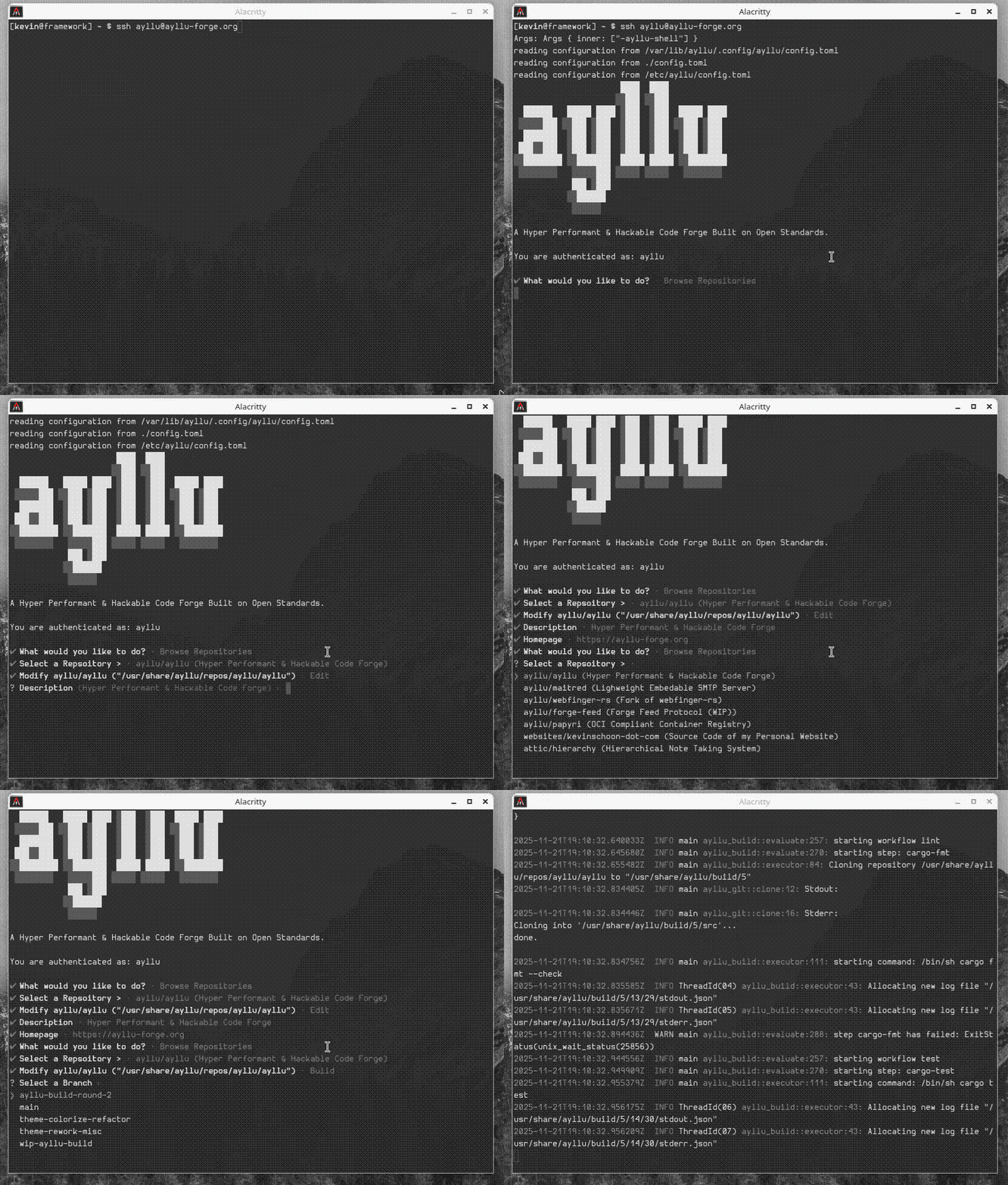
How ayllu-shell Works
Prior to working on this I had never setup a restricted shell before but it is quite easy with OpenSSH. Essentially the process comes down to specifying the AuthorizedKeysCommand as part of your OpenSSH config[1] which delegates public key identification to some external process, in this case the ayllu-keys command.
AuthorizedKeysCommand /usr/bin/ayllu-keys %u %h %t %k
For the moment Ayllu only supports static account configurations which are read typically from the system wide /etc/ayllu/config.toml and so a fixed list of identities is read from there.
An identity in Ayllu looks something like this:
[[identities]]
username = "demo"
authorized_keys = [
  ".. your key here .."
]
Now all the ayllu-keys command needs to do is compare the public key specified by the openssh %k argument with the authorized keys in the configuration file and if they match the caller assumes that identity.
fn identify<'a>(config: &'a Config, ca_key_type: &str, certificate: &str) -> Option<&'a Identity> {
    // NOTE: this just wraps https://docs.rs/openssh-keys/0.6.4/openssh_keys/struct.PublicKey.html#method.parse
    let user_key = match ayllu_identity::PublicKey::parse(&format!("{ca_key_type} {certificate}")) {
        Ok(key) => key,
        Err(e) => {
            eprintln!("Cannot parse SSH key from sshd: {e:?}");
            return None;
        }
    };

    match config.identities.iter().find(|identity| {
        identity
            .authorized_keys
            .iter()
            .any(|authorized_key| authorized_key.0 == user_key)
    }) {
        Some(identity) => Some(identity),
        None => {
            eprintln!("Cannot identify a valid Ayllu user");
            None
        }
    }
}
[1] NOTE Modern distributions with systemd have userdbctl for this purpose and so you need to augment it you with the --chain flag. e.g.
AuthorizedKeysCommand /usr/bin/userdbctl ssh-authorized-keys %u --chain /usr/bin/ayllu-keys %u %h %t %k
For a stronger security posture it's also possible to run a separate instance of OpenSSH on a different port as the Ayllu user.
Man Pages
Ayllu's documentation has been very scattered throughout the codebase and inconsistently updated. Ayllu now ships with a complete set of man pages which will contain the majority of it's documentation. Clap's mangen works pretty well and extra pages are written with markdown and converted via go-md2man. the ayllu-web UI also takes an unusual approach of embedding all of it's documentation in the site which makes ayllu-forge.org/man the canonical home for Ayllu's documentation.
Forge-Feed Specification
Ayllu's goal is to promote the proliferation of disparate software communities and even those which do not run Ayllu at all. We want to see a robust internet made up of different FOSS communities using different tools but in a way that is interoperable. This desire has lead to the creation of forge-feed.org which is an open specification about building just that. For the moment the spec focuses only on discoverability of codebases via WebFinger and the subscription of forge updates over ATOM. I wrote a bit about this specification on the Forgejo issue tracker and did a small POC integrating it into that codebase.
There is a lot more work to be done on the forge-feed specification itself and also it's integration into Ayllu. The design of Ayllu will obviously influence the forge-feed specification and only time will if it is ever picked up by others.
--
That's all for now, thanks for reading!